










Un pezzo più stretto di circa 50 mm si rompe sulla tagliapiastrelle, ha poco adesivo sotto e sembra una striscia lungo la parete. Sliver Guard è la parte dello Studio layout piastrelle che trova questi pezzi e cerca di eliminarli prima che tu ordini il materiale.
Dove si imposta la soglia
Scheda Materiale → Taglio minimo, subito sotto i pulsanti Installazione punto di inizio. Default 50 mm per Piastrella ceramica, Lastra di gres porcellanato e LVT; 20 mm per Pavimento in legno, quanto i posatori lasciano per l'ultima fila di doghe. Intervallo 20–100 mm. Il suggerimento sotto il campo dice «Strisce più sottili sono fragili in cantiere (predefinito 50 mm).»
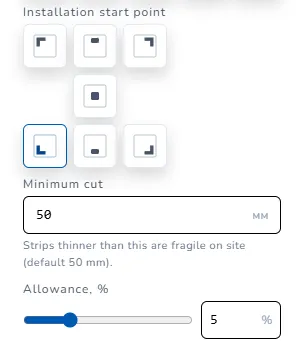
Alza la soglia se il piastrellista ne chiede di più (60 mm sul grande formato è una pratica comune). Abbassala solo se il posatore ha accettato di posare strisce strette.
Cosa succede in automatico
A ogni modifica del layout lo studio confronta ogni pezzo tagliato lungo i bordi e le aperture con il Taglio minimo.
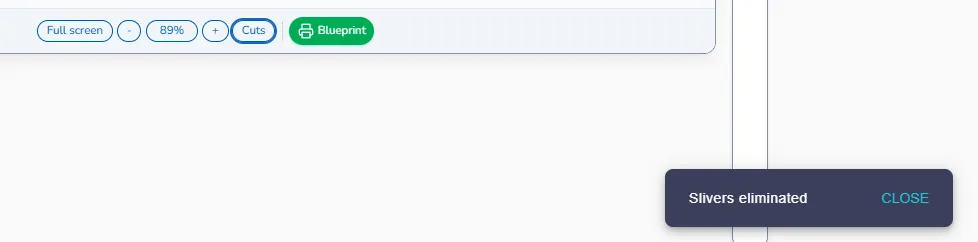
- Se un altro punto di inizio elimina tutte le strisce strette, la griglia si sposta da sola e in basso a destra compare un messaggio verde: Schegge eliminate. Installazione punto di inizio nella scheda Materiale si aggiorna al nuovo, così il pannello corrisponde sempre al foglio.
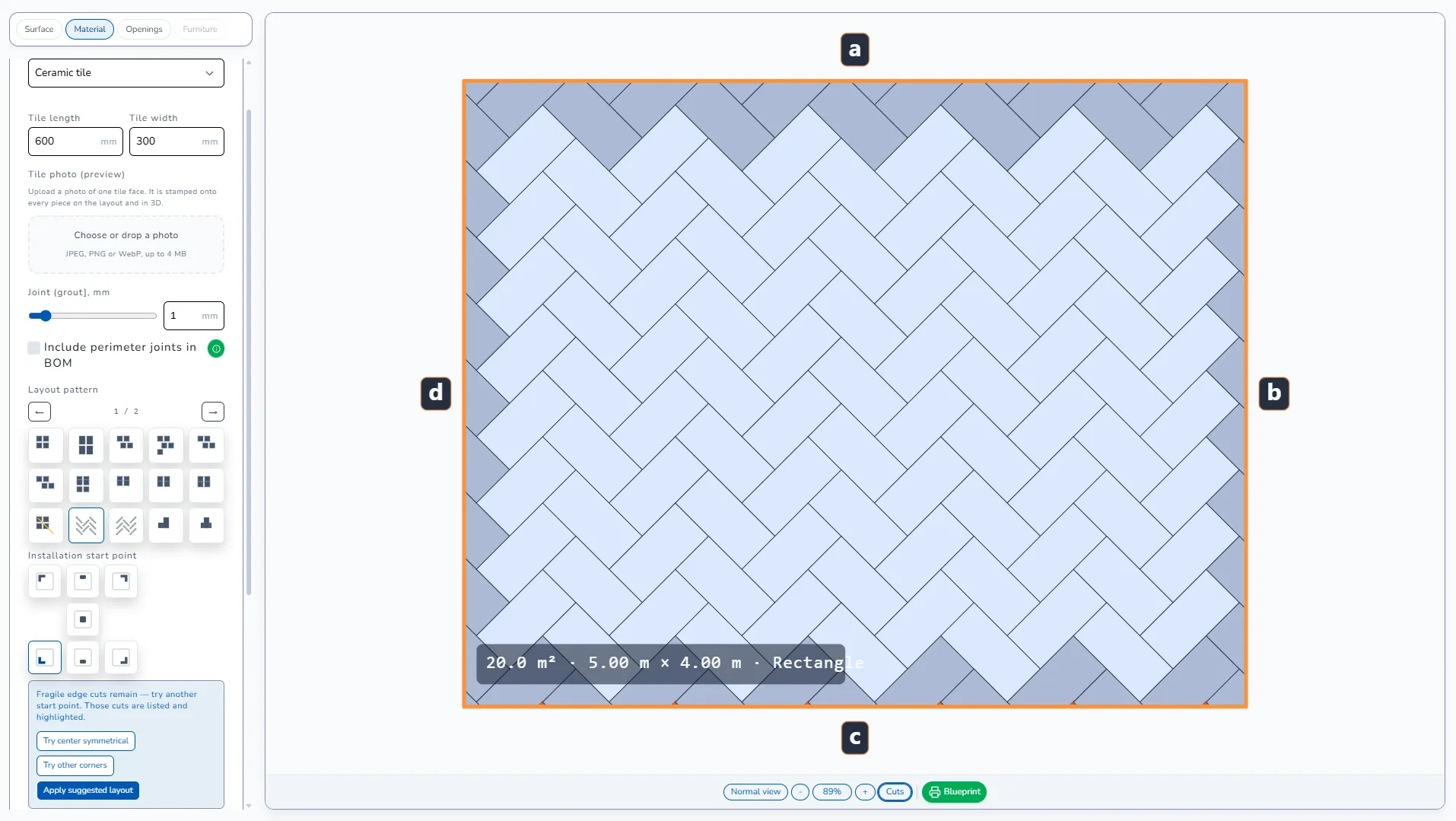
- Se nessun punto di inizio le elimina, nulla si sposta. Un messaggio arancione e un pannello blu sotto i pulsanti di inizio dicono la stessa cosa: «Restano tagli fragili — prova un altro punto di partenza. Quei tagli sono elencati ed evidenziati.» I pezzi sono marcati sul foglio e portano l'etichetta FRAGILE nella distinta di taglio.
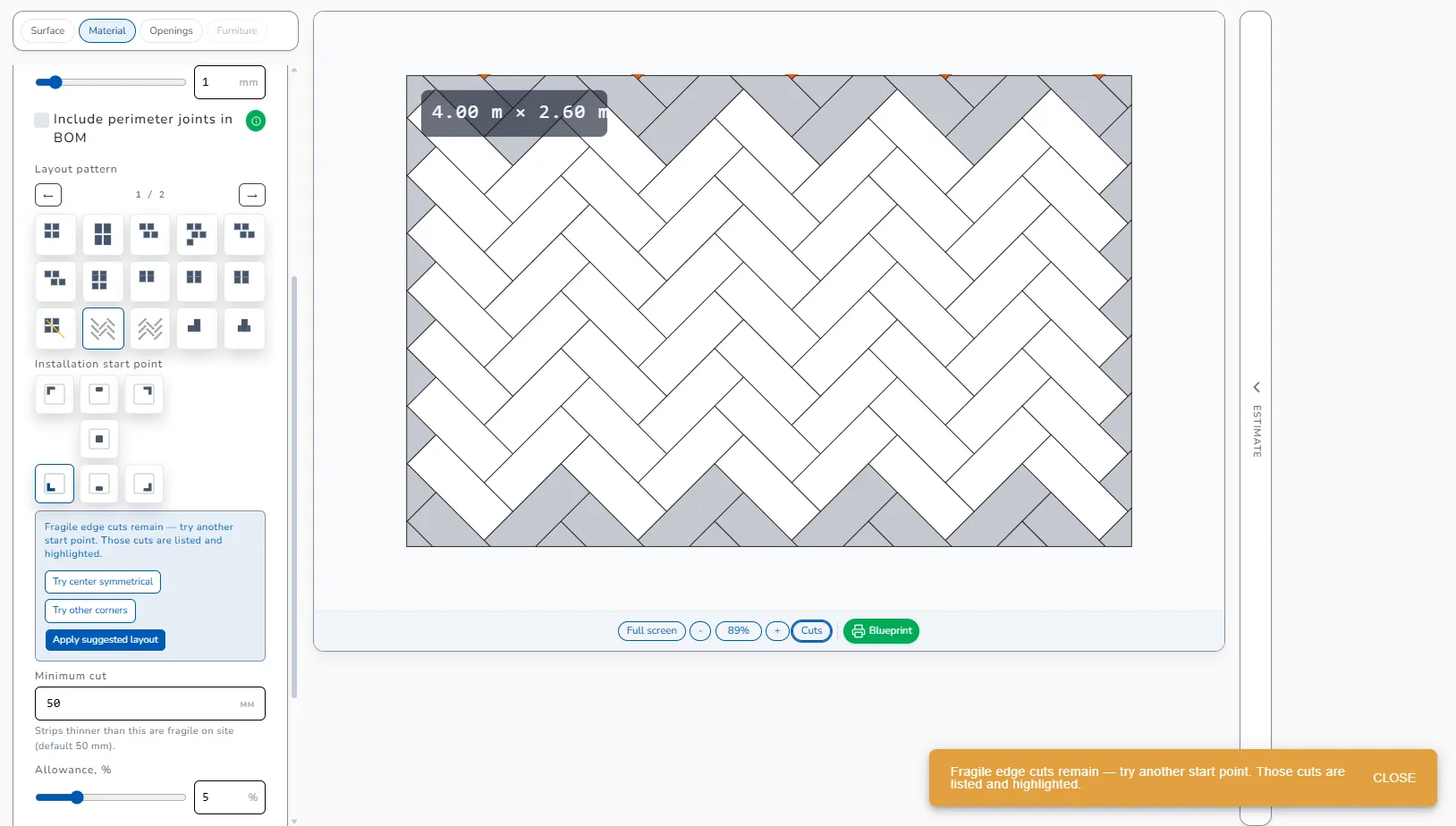
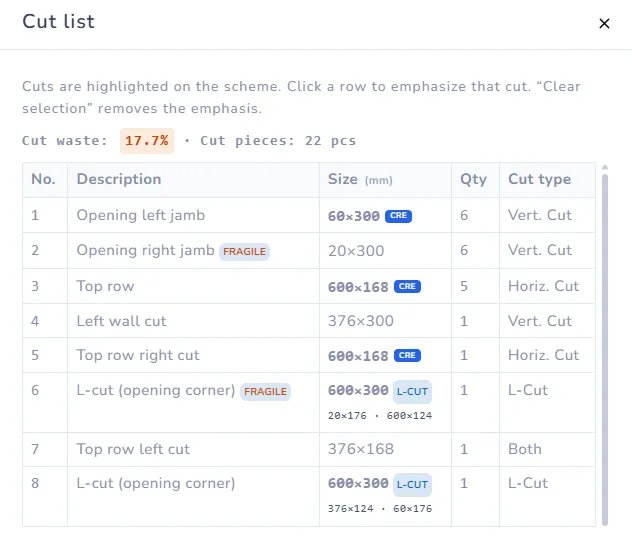
Lo studio non nasconde mai un pezzo per far sembrare pulita la distinta. Un pezzo fragile resta nella distinta finché la geometria non cambia.
I tre pulsanti di correzione
Nel pannello blu sotto l'avviso:
- Prova centro: parte dal centro della parete, così entrambi i bordi ricevono un taglio simile. Spesso trasforma una piastrella intera più una striscia di 30 mm in due pezzi da 315 mm.
- Altri angoli: prova gli altri punti d'angolo e tiene il primo che elimina le strisce.
- Applica layout suggerito: applica il miglior inizio trovato dal motore quando esiste una variante che riduce, ma non elimina del tutto, i tagli fragili.
Ognuno è un solo clic; lo annulli scegliendo un altro Installazione punto di inizio.
Come correggere a mano
Se i pulsanti non hanno tolto l'avviso:
- Cambia Installazione punto di inizio a mano. Le sette opzioni: In alto a sinistra, Centro in alto, In alto a destra, Centro, In basso a sinistra, Centro in basso, In basso a destra. Osserva come si sposta il marcatore giallo dell'origine sul foglio.
- Sposta un'apertura di qualche millimetro con X sinistra / Y superiore, se la posizione reale lo permette. Un pezzo da 40 mm accanto a un telaio diventa 90 mm dopo uno spostamento di 50 mm.
- Cambia formato della piastrella o schema. Spina di pesce 45° e Diagonale vicino a una porta lasciano quasi sempre triangoli sotto i 50 mm; Griglia o Mattone ½ riga sulla stessa parete spesso no.
- Cambia il Giunto. Un giunto di 3 mm invece di 2 mm su otto piastrelle sposta l'ultimo taglio di 8 mm. Lo studio non cambia mai il giunto al posto tuo, perché da esso dipende la quantità di fuga.
- Come ultima risorsa abbassa il Taglio minimo, dopo averlo concordato con il posatore.
Esempio
Parete 2,45 × 2,50 m, piastrella 600 × 300 mm, giunto 2 mm, Griglia, In basso a sinistra.
- Fila: 4 piastrelle intere = 2,408 m, a destra resta una striscia di 42 mm. Fragile.
- Prova centro: due pezzi di bordo da circa 321 mm. Eliminata.
Il numero di piastrelle quasi non cambia; i tagli per fila sono due invece di uno. È il consueto scambio: un taglio in più, nessuna striscia fragile.
Pavimento in legno e LVT
Per le doghe lo schema Lunghezza libera riporta il resto di una fila nella fila successiva. Lo controllano due caselle sotto lo schema: Non riportare resti più corti di 50 mm e Evita tagli visibili più corti di 50 mm. Disattivale solo se usi di proposito resti corti.
Nel blueprint del progetto
Le etichette Fragile sono stampate nella distinta di taglio del blueprint esattamente come a schermo. Esporta dopo aver tolto l'avviso, oppure di' al posatore quali pezzi sono marcati.
Spina di pesce sul pavimento
Spina di pesce 45° è lo schema in cui l'avviso compare più spesso. Su un pavimento 5,00 × 4,00 m lo studio può pulire una parete ma non quella opposta, perché lo schema si ripete in diagonale e ogni bordo è un triangolo. Prova prima i tre pulsanti; se l'avviso resta, concorda con il posatore da che lato vanno i piccoli triangoli (di solito sotto lo zoccolo della cucina o dietro la porta) ed esporta con le etichette.
Avanti: Il primo layout · Blueprint del progetto
