










You do not need an account to see whether a tile fits the wall. You need one to see how many to buy, to keep the project, and to hand the tiler a Blueprint.
Try demo
Open Tile Layout Studio and choose Try demo. An orange Demo mode bar says: "This is a demo project with limited functionality. Create a free account to see the estimate, save it, and export a blueprint." Create account is on that bar.
You can set the wall, the tile, the pattern and the openings, and you can see every piece on the canvas. The numbers on the Estimate stay blurred. The draft stays in this browser.
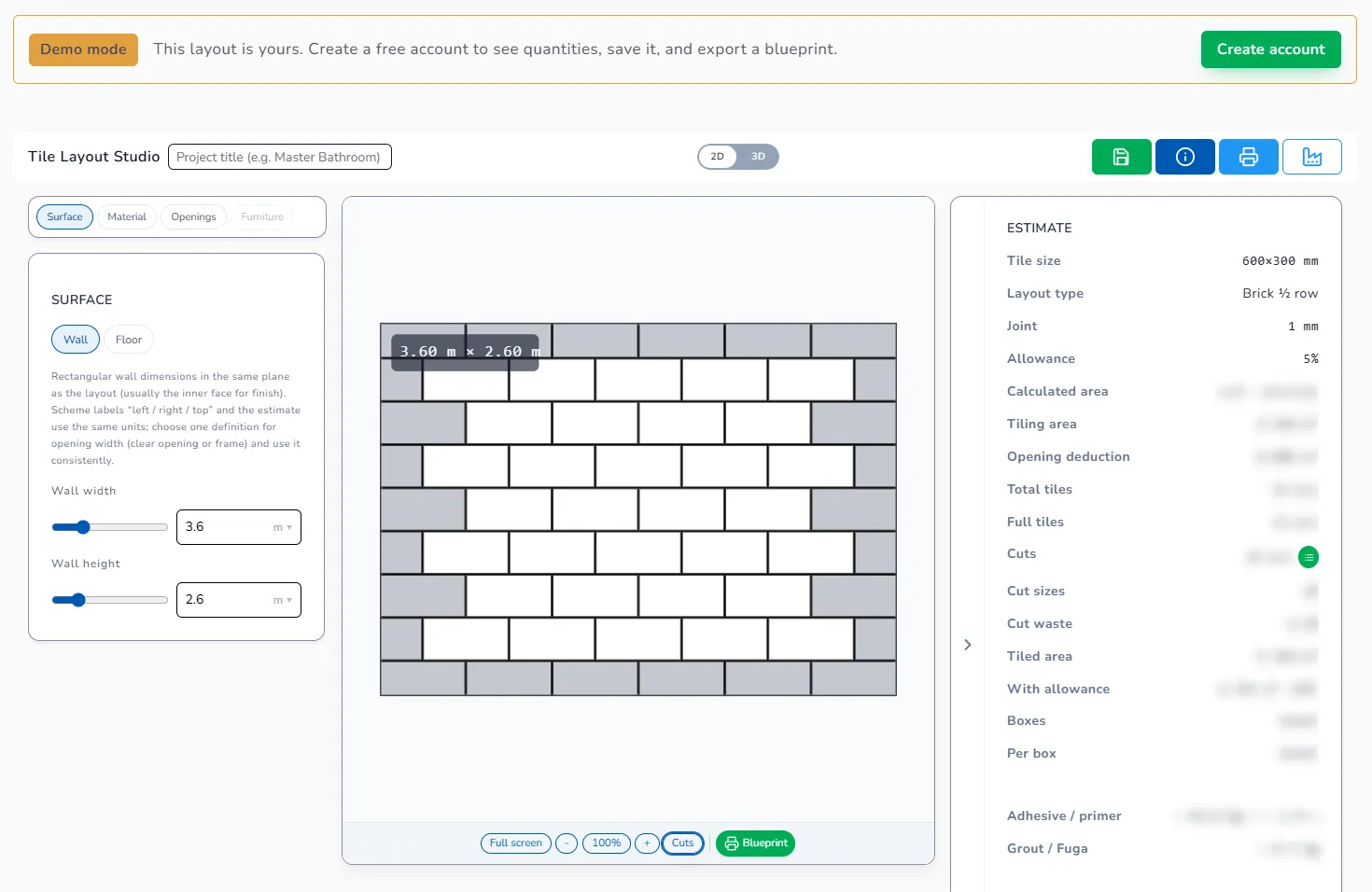
Create a free account
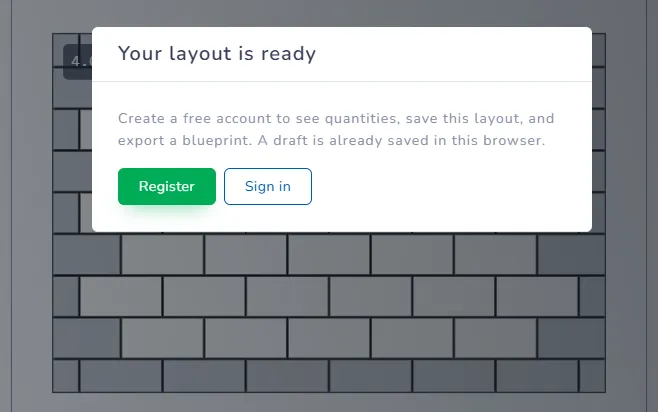
Click Create account on the bar, or export. Export while you are a guest opens Your layout is ready: "Create a free account to see the estimate, save this layout, and export a blueprint. A draft is already saved in this browser." The buttons are Register and Sign in.
After you are signed in:
- The Estimate shows Total tiles, Boxes, adhesive, primer and grout.
- The green save icon (Save project to server) keeps the project, and the studio also saves every 90 seconds.
- Download Project Blueprint (the print icon, or the green Blueprint button) gives you the PDF. A Free account gets 3 Blueprints a month, Home & DIY gets 10, Shop has no limit. See Project Blueprint.
The draft stays in this browser
Finish the layout in the same browser, then register. The draft you see is the one in this browser. Sign in on a different phone and that draft is not there — save the project once you have the account, and open it from the project list.
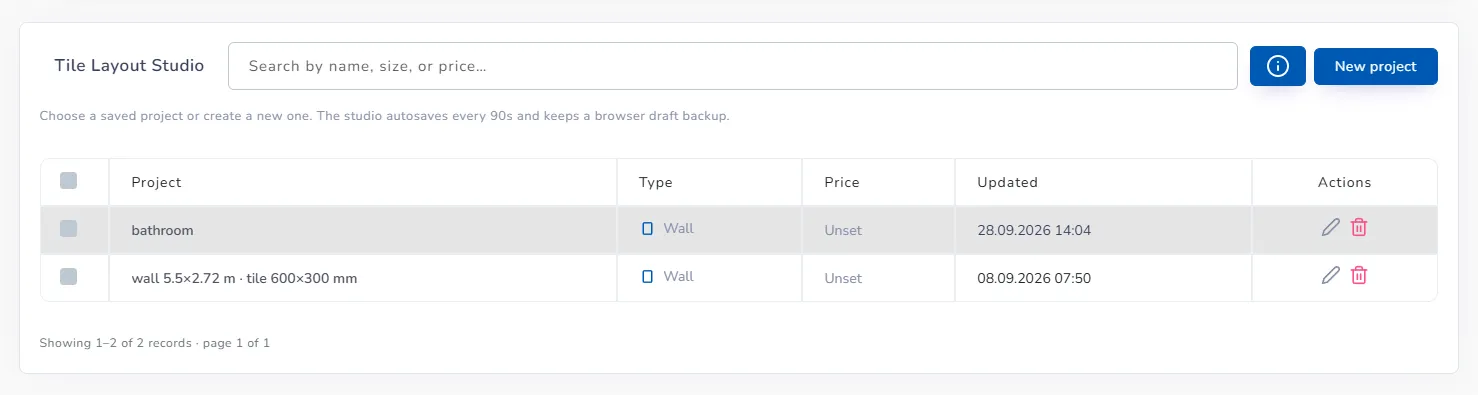
The back arrow beside "Tile Layout Studio" is that list: each project shows type, price and the date it was updated.
Next: Your first layout · Project Blueprint