







Millimetre precision

2D/3D CAD. CRE + Sliver Guard. Factory MBOM.

Stop guessing boxes from square metres. ScalarCut is a millimetre tile layout planner: openings, patterns, cut list, and BOM — in 2D for the cuts and 3D to show the room — before the first tile is laid.

Problems

A square-metre total is not a layout

Seeing the pattern is not enough. The last strip, the openings, and the bags of adhesive are where the job breaks.

Without ScalarCut

  • No Sliver Guard Edge cuts under 50 mm snap on site.
  • Openings ignored Doors and windows are a blank rectangle.
  • Area is not a BOM Grout, thickness, adhesive, piece count missing.
  • No cut list Sizes still guessed on the floor.

With ScalarCut

  • Origin shift ≥ 50 mm Edge stays ≥ 50 mm, or the strip stays on the list marked FRAGILE.
  • Net takeoff Openings on the canvas, area recalculates.
  • Grout, adhesive, pieces From real joints and thickness.
  • Millimetre blueprint Cut list grouped for batch cutting.

Plan the layout. Know every cut.

2D/3D CAD for ceramic, porcelain slabs, LVT, and wood.

Free • No Signup Required • Available on Web,

Project blueprint & cut list

Project blueprint & cut list

Every surface in millimetres. Cuts by row, size, and blade angle. Grouped for batch cutting.

Format
PDF / print
Includes
BOM, cuts, angles, joints
Delivery
Web or app
Material takeoff

Material takeoff

Net area after doors, windows, hatches. Exact piece count. Grout and adhesive from joints and thickness.

Waste
Adaptive
Metrics
mm/m² and ft/in
BOM
Tiles, LVT, wood, grout, glue
Layout on screen

Layout on screen

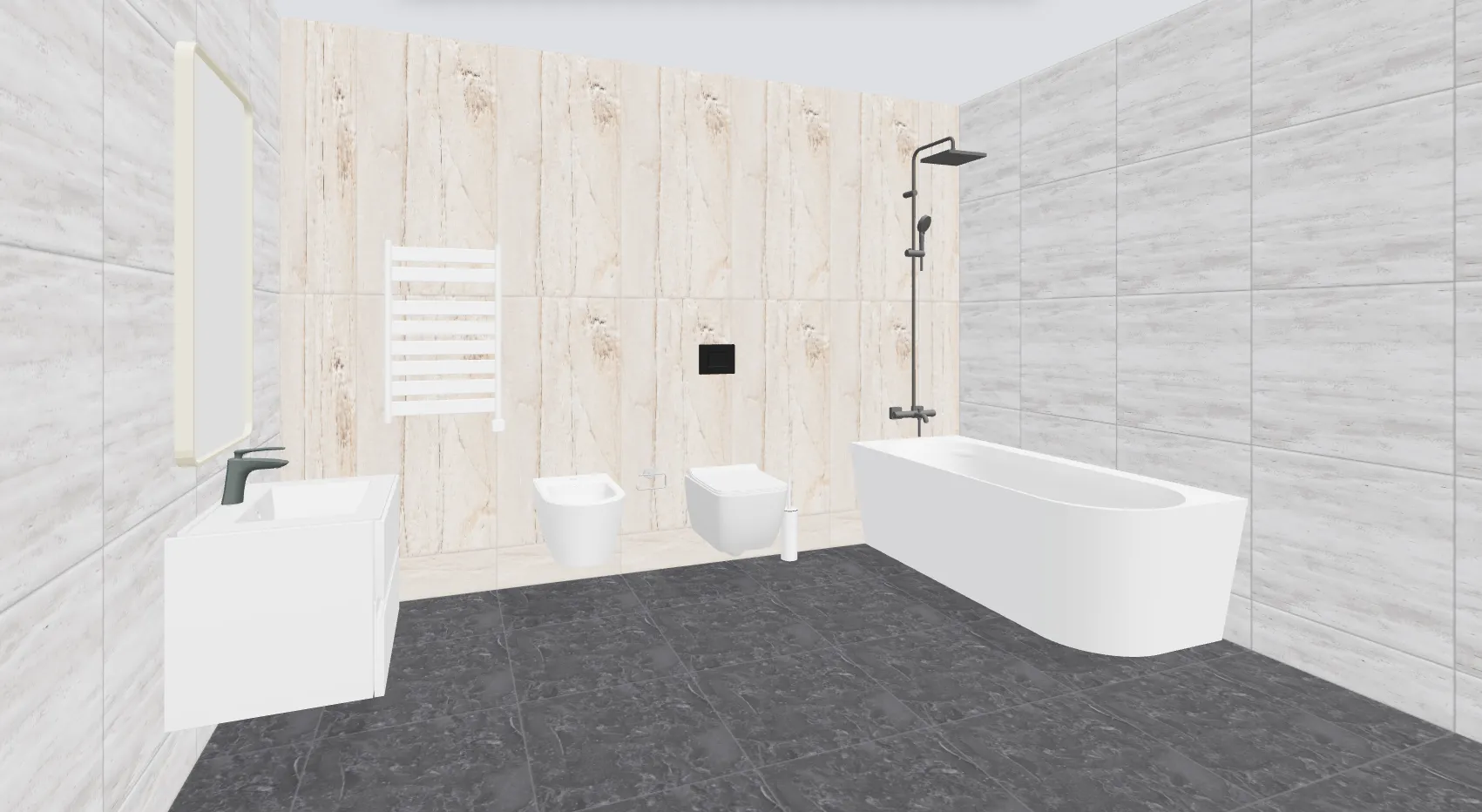
2D for the cuts. 3D to show the room. On the web and on the phone.

Platforms
Web & mobile
Visuals
2D/3D
Patterns
17 layouts

You order from a spec, not a guess.

Tile Layout Studio

Millimetre layouts, a real BOM, and no “plus 10%.”

Real sizes

Walls and floors with grout, templates, net area after openings. Order from the piece count.

Sliver Guard

Shifts the start so edge cuts stay at or above 50 mm. If a wall still can’t, those strips stay on the canvas and in the cut list, marked FRAGILE.

Openings

Drag windows, doors, hatches. Materials update. No blank rectangle.

17 patterns

Straight, brick, herringbone, diagonal. End-of-row offcut can start the next row.

BOM

Whole tiles, cuts, adhesive and primer on tiled area, grout from joints. A shopping list.

Blueprint

Layout picture plus millimetre cut map. Share before you buy.

Compare for tile stores

Scalarcut vs. Ceramic 3D

Cloud CAD right on the sales floor — vs. restrictive desktop rendering at a single desk.

  • Sell anywhere in the showroom — Scan, select, and calculate tile requirements on a smartphone or tablet directly next to the display stands with your customer.
  • Flawless precision, zero waste — Driven by a millimetre-accurate CAD engine that maps every single joint and tile cut. Eliminate messy material over-ordering, shortages, and costly returns.
  • Instant onboarding, zero training costs — Skip expensive 3D design courses. The intuitive interface lets your standard floor staff confidently design and close deals from day one.
  • One Pro subscription covers the whole shop — browser, iOS, and Android — without a per-seat USB key or a dedicated rendering PC.

The same engine on the storefront

Factories and shops: an iFrame on the product page for millimetre layout, plus Factory MBOM — manufacturing JSON for SAP, Oracle, and MES. Your brand, your SKUs.

Coming soon

Photo-based landscaping

Sketch lawn, paths, and planting on a site photo before you take quotes.

  • Align the photo

    Align the photo to the ground, trace lawn and paving.

  • Drop elements

    Drop plants, lights, structures to check scale.

  • Phone landscape

    Works in landscape on the phone.

Live — web, iOS, Android

Renovation expense ledger

Log what the job actually cost. Keep the receipts. See the number in one place.

  • Categories

    Materials, labour, rentals, logistics.

  • Any currency

    Logged at the rate on the payment date.

  • Export

    Excel or PDF when you need a clean list.

What's in ScalarCut

Tile Layout Studio and storefront embed are available. Landscaping is in development.

Tile Layout Studio

Available

2D/3D on walls and floors. Openings, waste, BOM from real geometry. Web, iOS, Android.

  • 2D/3D layouts for ceramic, porcelain slabs, LVT, and wood.
  • Openings, waste, and a BOM from real geometry.
  • On the web, iOS, and Android.

Storefront embed

Available

iFrame on the SKU. Layout, cuts, piece counts.

  • Millimetre layout and a cut list on the product page.
  • Your brand, your catalog SKUs.
  • Exact piece counts — not a square-metre guess.

Landscaping

Coming soon

Photo of the site, zones, paths, planting.

  • Sketch lawn, paths, and planting on a site photo.
  • Check scale before you take quotes.